
WORKFLOW OPTIMIZATION
My approach to workflow optimization is to identify repetitive or error-prone tasks and build systems that simplify them. Through templates, automation, data-driven production, and project tracking, I created workflows that helped a small creative team manage hundreds of products while maintaining consistency and accuracy.
Building scalable creative systems that improve efficiency, increase visibility, and reduce repetitive work.
The Challenge
Managing hundreds of products across multiple designers, formats, licensors, deadlines, and approval stages created significant opportunities for repetitive work, inconsistencies, and production errors.
The goal was not simply to work faster—it was to create repeatable systems that allowed the team to spend more time designing and less time rebuilding, searching, updating, and correcting.
My Approach
I look for repetitive, time-consuming, or error-prone tasks and build systems that simplify them. Through templates, automation, data-driven production, and project tracking, I created scalable workflows that improved efficiency while giving the creative team greater visibility and more time to focus on design.
01 — Automate Repetitive Production
Turn repetitive production tasks into reusable systems.
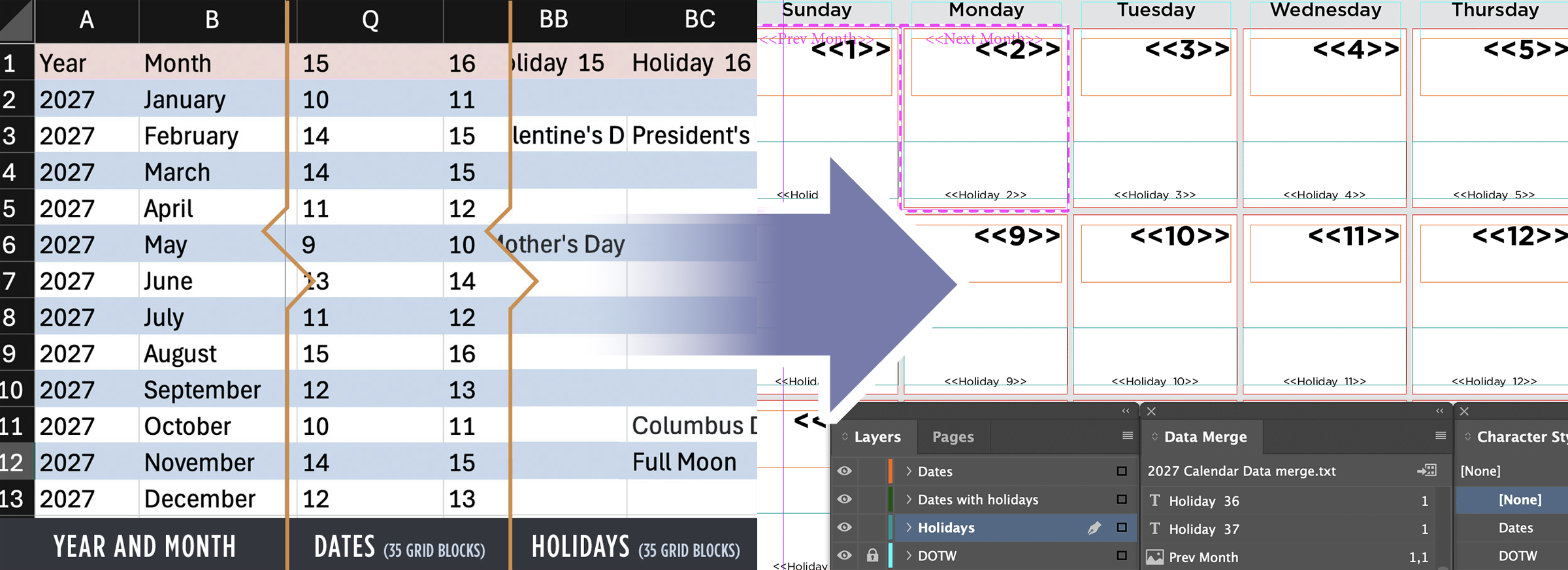
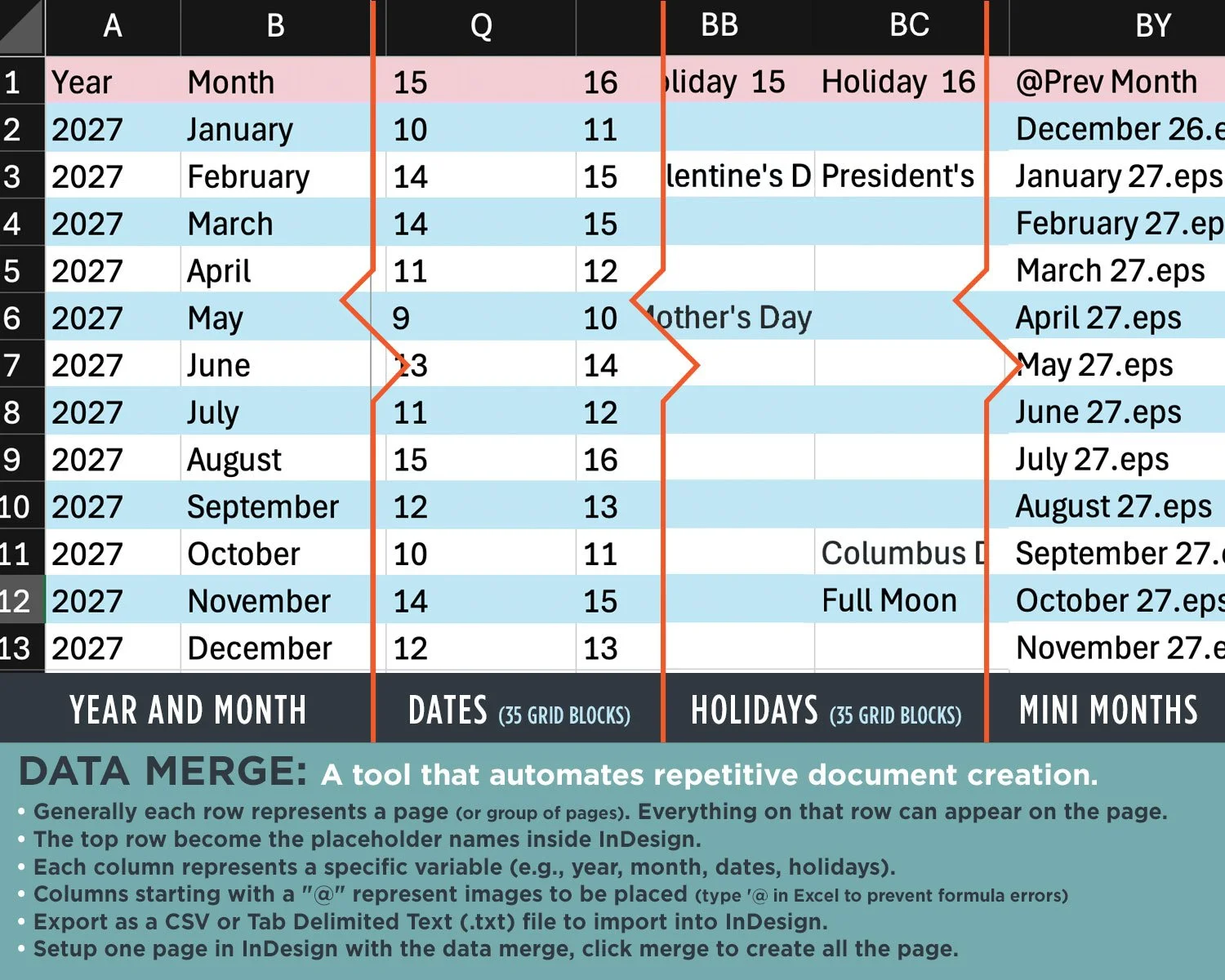
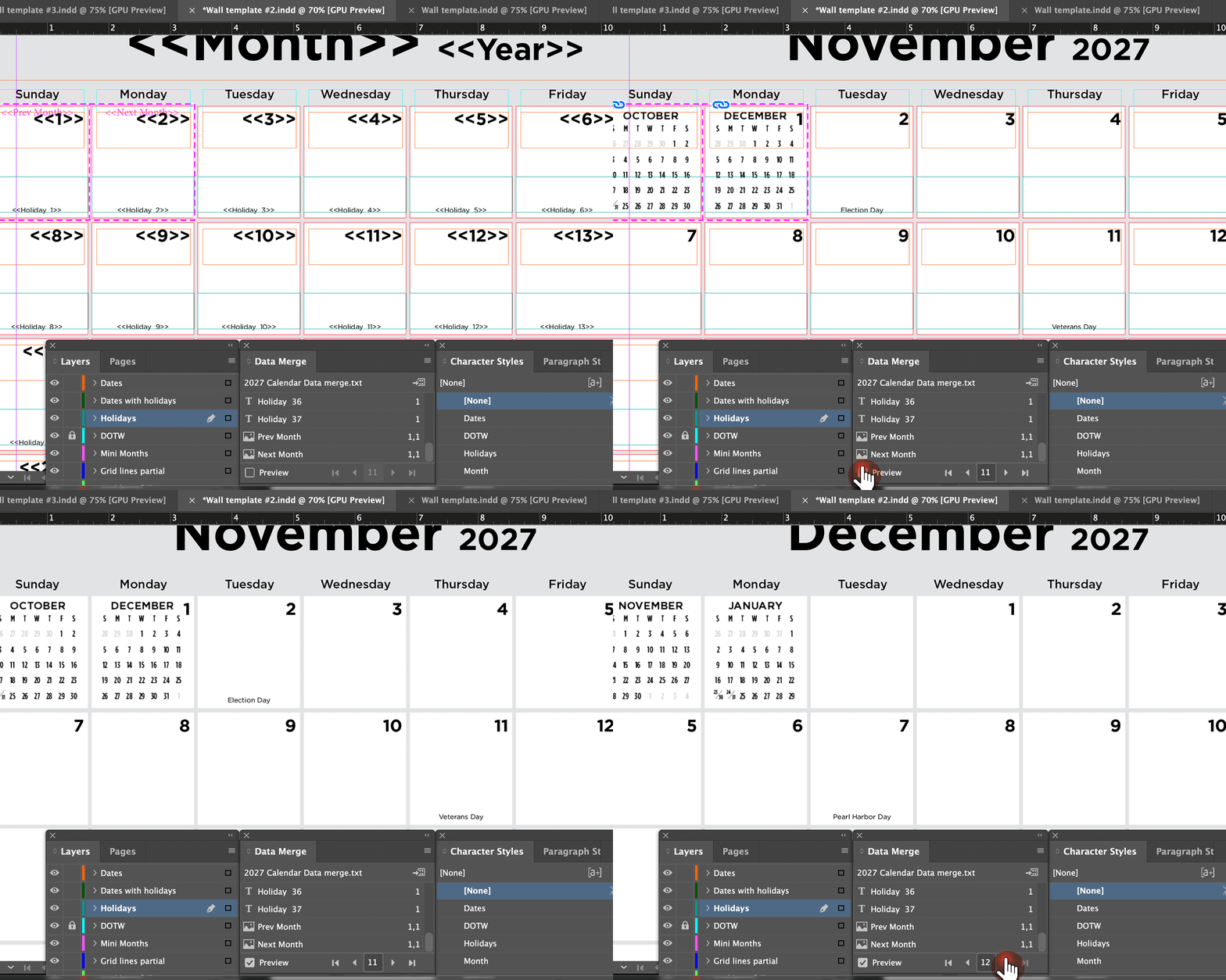
I built InDesign Data Merge systems that transformed structured data into production-ready documents. Dates, holidays, product information, images, and other variables could populate automatically—allowing documents containing hundreds of pages to be generated in seconds rather than assembled manually.
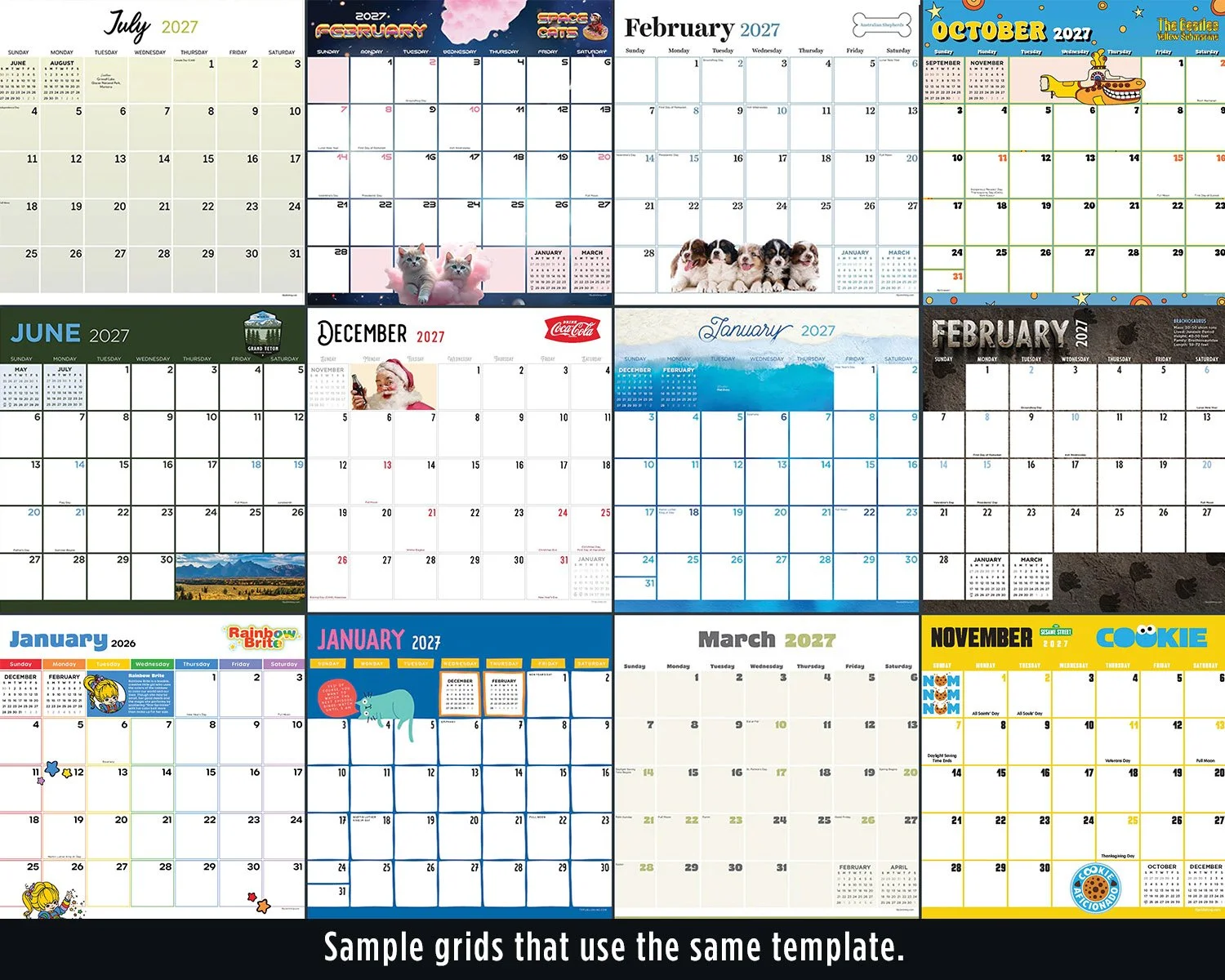
One Template. Multiple Creative Directions.
Once calendar data and structure were established and proofed, the same foundation could support entirely different designs without rebuilding the calendar from scratch.
02 — Build Reusable Templates
Create consistent production foundations for the entire creative team.
I developed standardized wall and mini-calendar templates using character styles, paragraph styles, layers, and reusable structural elements. Each year, I prepared the core templates used by the art team, providing a consistent starting point for production while allowing designers creative flexibility.
03 — Create Production Visibility
Know where every product stands.
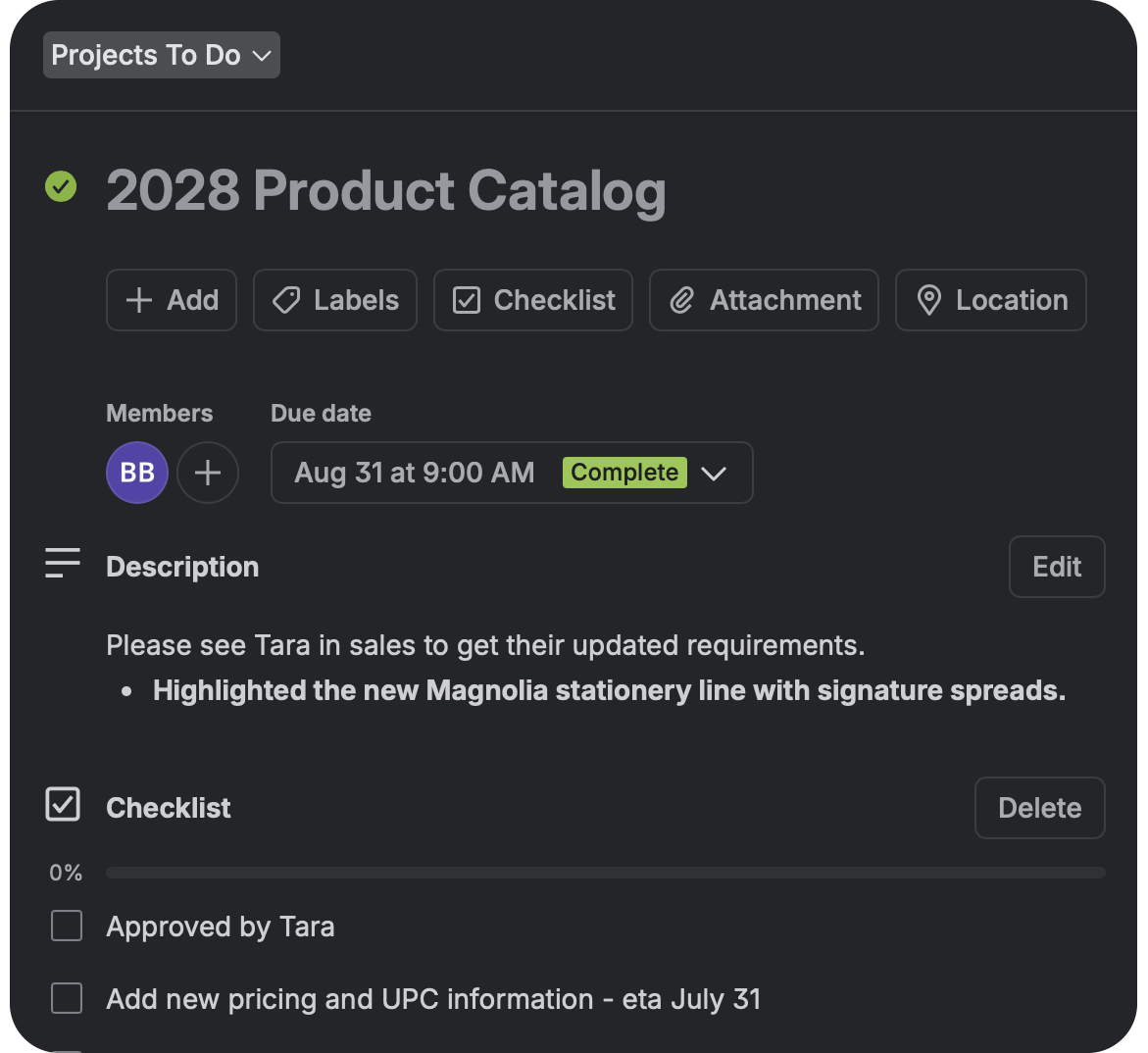
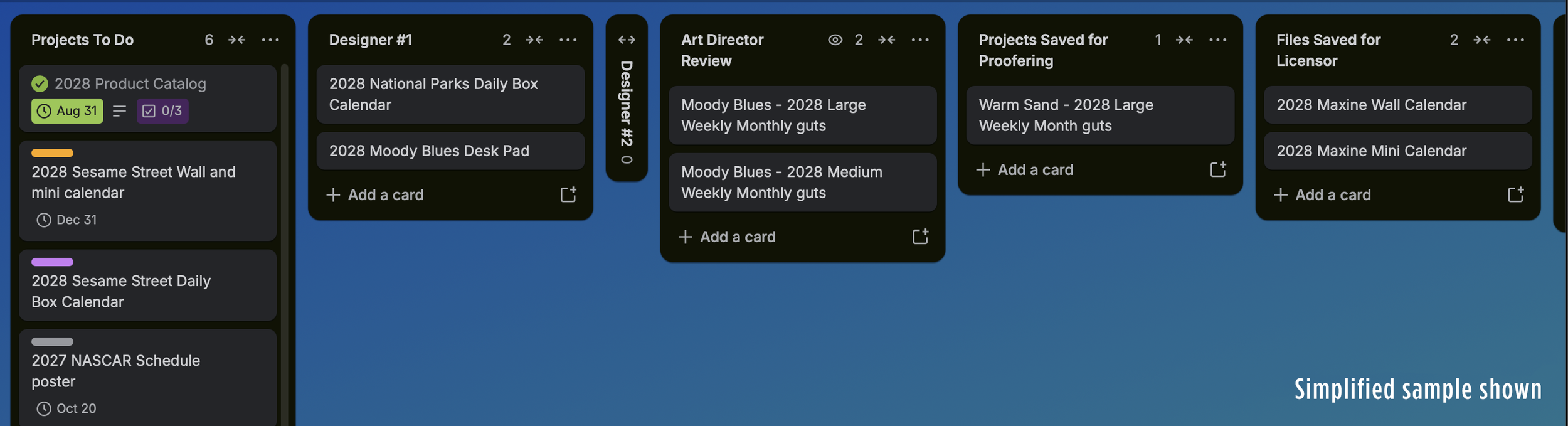
As product volume grew, I transitioned our tracking process from a physical production board to a digital Kanban system. Each product moved through defined stages with assignments, due dates, checklists, files, approvals, and communication kept together—providing visibility across more than 400 products annually.
The system was flexible enough to accommodate new requirements without disrupting the overall workflow, while searchable project records made it possible to quickly determine the status of any product.
04 — Automate at Scale
Apply automation wherever repetition creates unnecessary work.
Beyond Data Merge, I used standardized boilerplates and batch-processing tools to eliminate repetitive production tasks—from updating shared product information to resizing large image libraries and renaming files to retailer specifications.
Boilerplates
Update shared information across multiple products.
Photoshop Batches
Process large groups of images consistently.
File Automation
Rename and prepare files to retailer specifications.
What the Systems Accomplished
400+
Products managed annually
300+
Pages generated from a single Data Merge
One trusted data source
Supporting multiple creative executions
Greater visibility
Across designers, approvals, and production stages
The result was a creative operation that could handle significant product volume without sacrificing consistency, visibility, or creative flexibility.